Scope in web 3 space
Now let’s discuss how you can position yourself in web3 but remember whatever the field is, you need to have knowledge of other field. Concentrating on only one field may not work here. Yes, it’s okay to have an edge, but if you focus on only one thing, you may miss something big on the table that you could earn from if you have a basic idea about it.
Developer
If you are interested in programming field then you can go for block chain development where your role is smart contract building and auditing, node running, build dapps on block-chain, web dev for block-chain dapps.
Investor
If you are from stock market or forex market and want to trade crypto you can explore crypto trading, investing, ICO, pre-market trading, TGE day trading.
Crypto twitter
If you like to create content then you can work on twitter by helping other people and project in marketing, targeting the user and so on.
Project testing
If you are unemployed or you don’t know anything about Web3, you can start with this, where you test different projects and later earn some tokens from those projects, which you can sell in the market. Some projects give good rewards for testing, but around 95% will not give you anything.
These all field are also related to airdrops which we will discuss in next part " What are airdrops"
Web 3 tools and resources
Here are some basic tool that you need to know before entering in web 3
- We will use CEX and DEX to buy - sell cryptos
- We will use hot wallet and cold wallet to keep our crypto
- We will use bridge platforms to transfer crypto
- We will use X, Telegram, Discord for crypto information
Here are some advance tool we need to know after entering in web 3 Link
Crypto Exchange
Crypto exchange are like broker of stock market where we can trade crypto currency. We can do investment, future and option trading, ICOs via crypto exchange. Think this like your trading account.
There are two types of crypto exchange:- CEX: Centralize exchange
- DEX: Decentralize exchange
The main difference is CEX can fuck your fund – you need to deposit your fund in CEX to trade but in DEX you don’t need to deposit your fund as you can trade with your wallet. Both exchange working mechanism is different which we will discuss in advance series. Download Binance, bybit for now later we will download more CEX depends on our need.
CEX guide
Send crypto If you want to send crypto via CEX then simply follow these step:
- click on send and select withdrawal method. There are two ways sending crypto . via pay id . On-chain withdrawal
- Pay id method : This is same like bank to bank transfer where you send can crypto from one same CEX to another CEX. You can only use this method if you want transfer fund between binance to binance or mexc to mexc. You cannot use this method if you want to transfer in different CEX which.
click on send - add pay id or gmail address -add amount - send
- On-chain method : This is real method of transfering fund in web3. One mistake and you will lose your fund forever.
Click on send - Select wallet address - Select blockchain - Add amount - Check gas fee and send
- Check gas fee and click on send
Receive crypto If you want to receive fund from others then follow these step:
- Same like sending crypto you can receive crypto either in your pay id or in your address. click on (receive/ deposit/ add fund)
- For pay id go in your profile and copy the code - its often called UID also. Copy it and send it sender.
- For on-chain deposit select the blockchain where you want to receive fund and then copy the address. Remember to ask your sender from where he will send fund. If he is sending from CEX then no worry but if he sending from crypto wallet then ask from which chain he will send fund. Suppose he is sending USDT from phantom wallet (sol chain) and you give him your USDT deposit address but in eth chain then your fund will lost. you need to give your USDT coin and solana blockchain adress
- Some adress like solana chain deposit adress are case sensative so take care of that also.
DEX guide
DEX (Decentralized Exchange) is a platform where you trade crypto directly from your wallet without using any centralized company. You stay in control of your funds at all times.
Before using DEX make sure you have:
- A crypto wallet (Metamask, Phantom, Trust Wallet, etc.)
- Some native token for gas fee (ETH, SOL, BNB, etc.)
- The correct blockchain selected in your wallet
Swap crypto If you want to swap tokens on DEX then follow these steps:
- Open a DEX website (Uniswap, PancakeSwap, Jupiter, etc.)
- Click on Connect Wallet and approve the connection
- Select the token you want to swap and the token you want to receive
- Enter the amount and check price impact & gas fee
- Click Swap and confirm the transaction in your wallet
Important DEX safety tips:
- Always check token contract address before swapping
- Never approve unlimited spending for unknown tokens
- Fake tokens and scam sites are common in DEX
- Once a transaction is confirmed, it cannot be reversed
here are some dex that you can try
Crypto Wallet
A crypto wallet is a place where we get access of our fund, used to receive and transfer crypto via block chain. Crypto is store in block chain and to used that crypto we use crypto wallet. It’s almost same like internet wallet -PayPal but on blockchain.
- Hardware wallet / cold wallet EG : ledger
- Software wallet / hot wallet EG: Metamax, kepler, phantom, petra, okx
The main difference between these two wallets are, Cold wallet are hardware wallet, not connected with internet all the time, and you need to buy (cost vary from wallet type).
Hot wallet are software wallet, connected with internet because it on your device and free to download. The security of hot wallet is based on the device where you download that wallet. If you use many third party application, p0rn0graphy site and crack version of software then your wallet security can be compromise.
If you portfolio is less than 1000$ and you don’t want to stay in crypto for long use software wallet and if your portfolio is greater than 1000$ and you are like long term holder then better to buy hardware wallet.
Software wallet guide
All wallet creation processes are similar. First, watch a guide on how to create a wallet. Only then download the wallets from the links below.
- MetaMask (EVM chain wallet): Download
- Rabby (EVM chain + multifunction wallet): Download
- Phantom (Solana chain wallet): Download
- Petra (Aptos chain wallet): Download
- Keplr (INJ / Cosmos wallet): Download
- UniSat (Bitcoin wallet): Download
- Tonkeeper (TON chain wallet): Download
- Select in which device you want to download
- download it and add in extension
- click on create a new wallet
- add password and agree all terms and condition
- click on secure my wallet then select revel my recovery Phrase then 12 or 24 digit word appear on your screen.
- Make sure to save that in your note copy or save it in document and keep that document in your pen drive make sure to save that key safely
- If you want to login then there is no option for email address and password like traditional method you need to login via those key
Send crypto If you want to send crypto via wallet then simply follow these step:
- click on send and add wallet address
- Enter the unit (amount of coin or $ you want to send)
- Check gas fee and click on send
Received crypto If you want to receive fund from friend then follow these step:
- click on receive and copy the address based on blockchain.
- One small mistake and fund will go in wrong adress - you can never get that fund back.
- Some adress like solana chain deposit adress are case sensative so take care of that also.
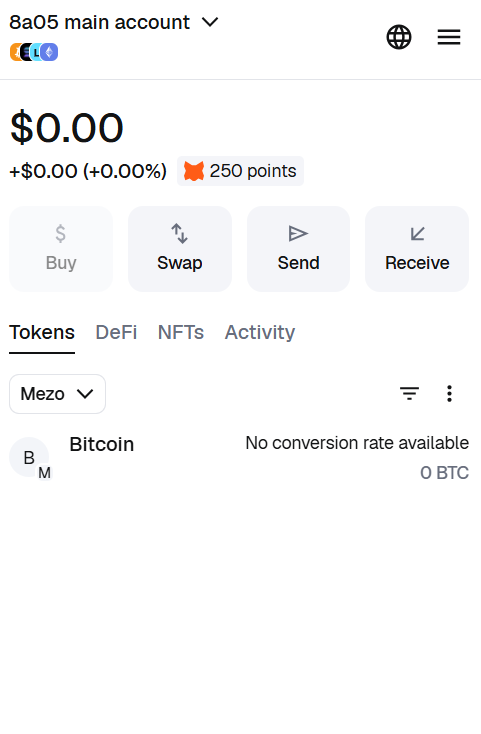
Gas fee: when you do any kind of activity with your wallet and to store that proof of activity in blockchain you need to pay gas fee. if you send crypto to someone then sender will pay gas fee and then only that trx will be sucessful. Gas fee for L1 is in their native coin and gas fee for L2 is generally ETH. for example if you want send 100$ via BNB chain then you need BNB coin (0.03$ to 0.5$) to execute that activity via bnb blockchain. Yes depends on blokchain gas fee amount is different.
.png)
Bridge
A crypto bridge is a tool that allows you to transfer your crypto assets from one blockchain to another. Since different blockchains cannot communicate directly with each other, bridges act like a connection between them.
For example, if you have ETH on the Ethereum network but want to use it on the Polygon network to get lower gas fees, you can use a bridge to move your funds from Ethereum to Polygon. Maybe you want fund in solana chain so insted of transfering your eth in CEX and then withdrawal to sol chain you can direct bridge in sol chain in low cost.
Popular bridges:
How to use a bridge
- Go to the official bridge website (always double check the URL).
- Connect your crypto wallet.
- Select the From network (from where you want to send fund) and the To ( where you want to received fund) network.
- Enter the amount you want to transfer.
- Approve the transaction and pay the gas fee.
- Wait for confirmation - some bridges take a few minutes while others may take longer.
Important safety tips:
- Always use trusted bridges. Many fake bridge websites exist.
- Start by sending a small test amount.
- Check network fees before bridging.
- Never bridge your entire portfolio in one transaction.
- During network congestion, bridging can take longer than expected.
Risk reminder: Bridges are one of the most targeted areas in crypto for hacks. Even large bridges have been exploited in the past. Only keep the amount you need on a particular chain and avoid unnecessary transfers.
In simple terms, a bridge helps your crypto travel from one blockchain to another - just like a real bridge helps people cross a river.